LOGBOOK

Automatic,
smart & reliable.

COMING
SOON

The Timeline – Intuitive, Clear, Innovative

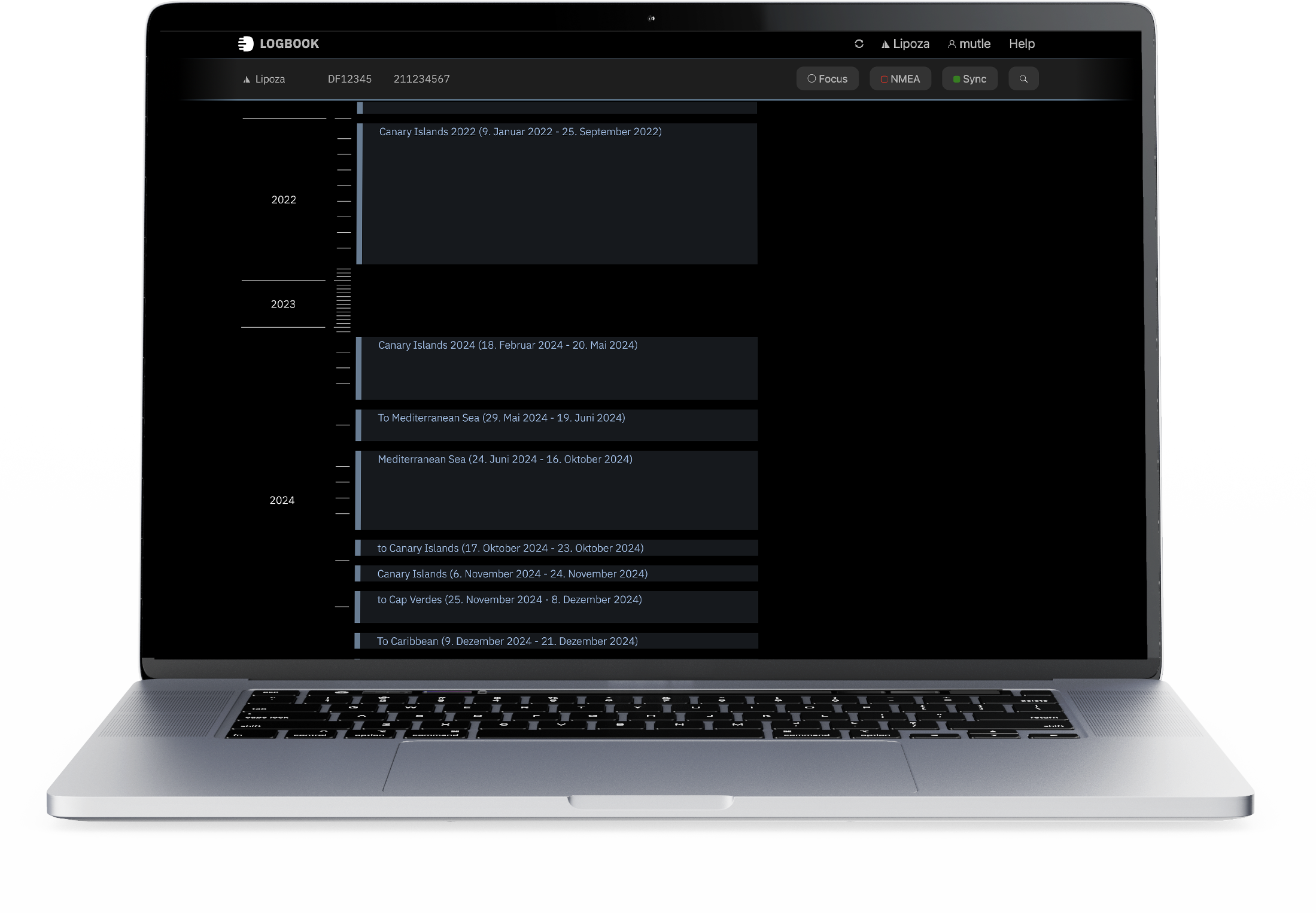
No more confusing page-flipping through dusty logbooks or cumbersome digital lists! LOGBOOK's Timeline revolutionizes how you experience your logbook.

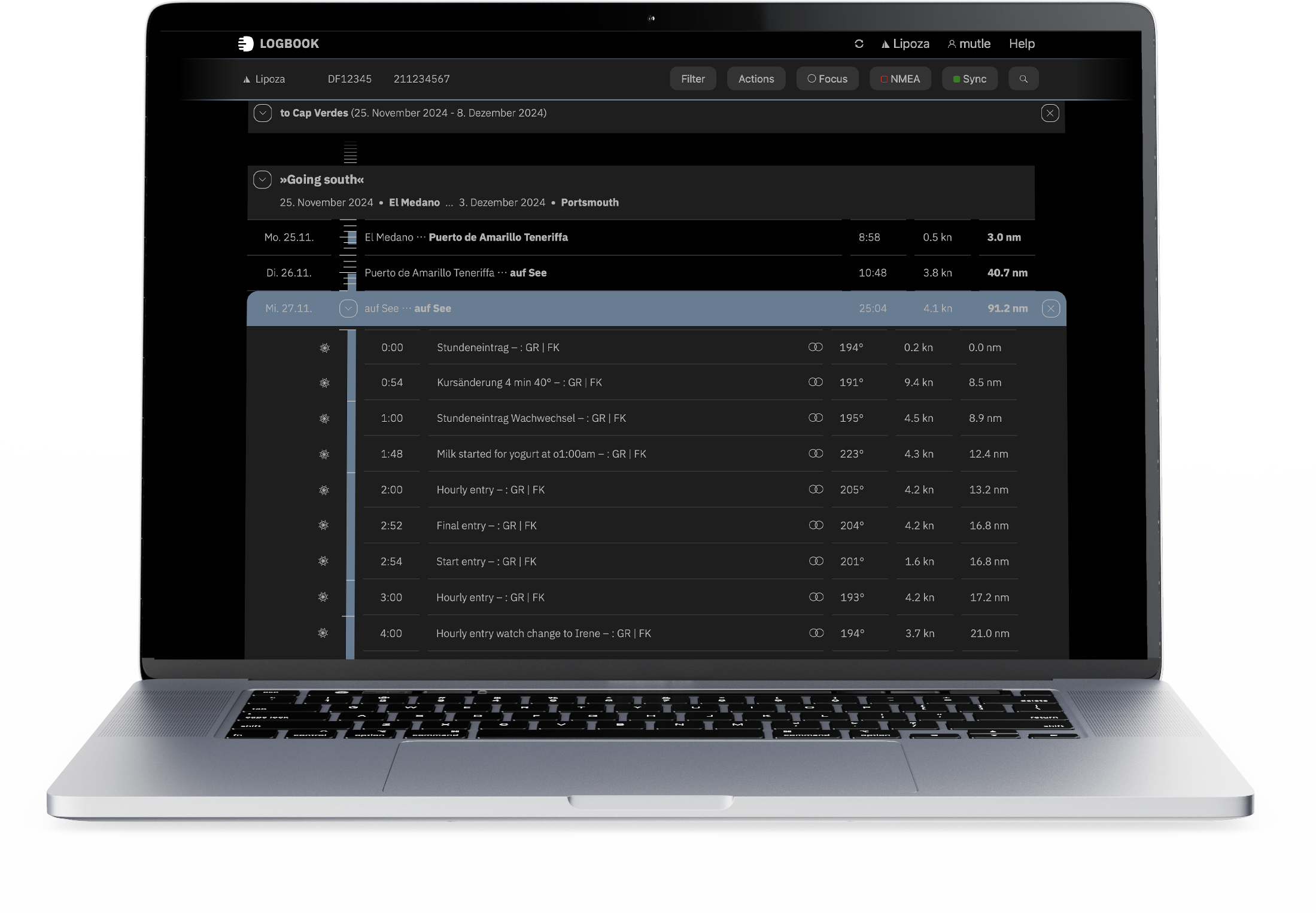
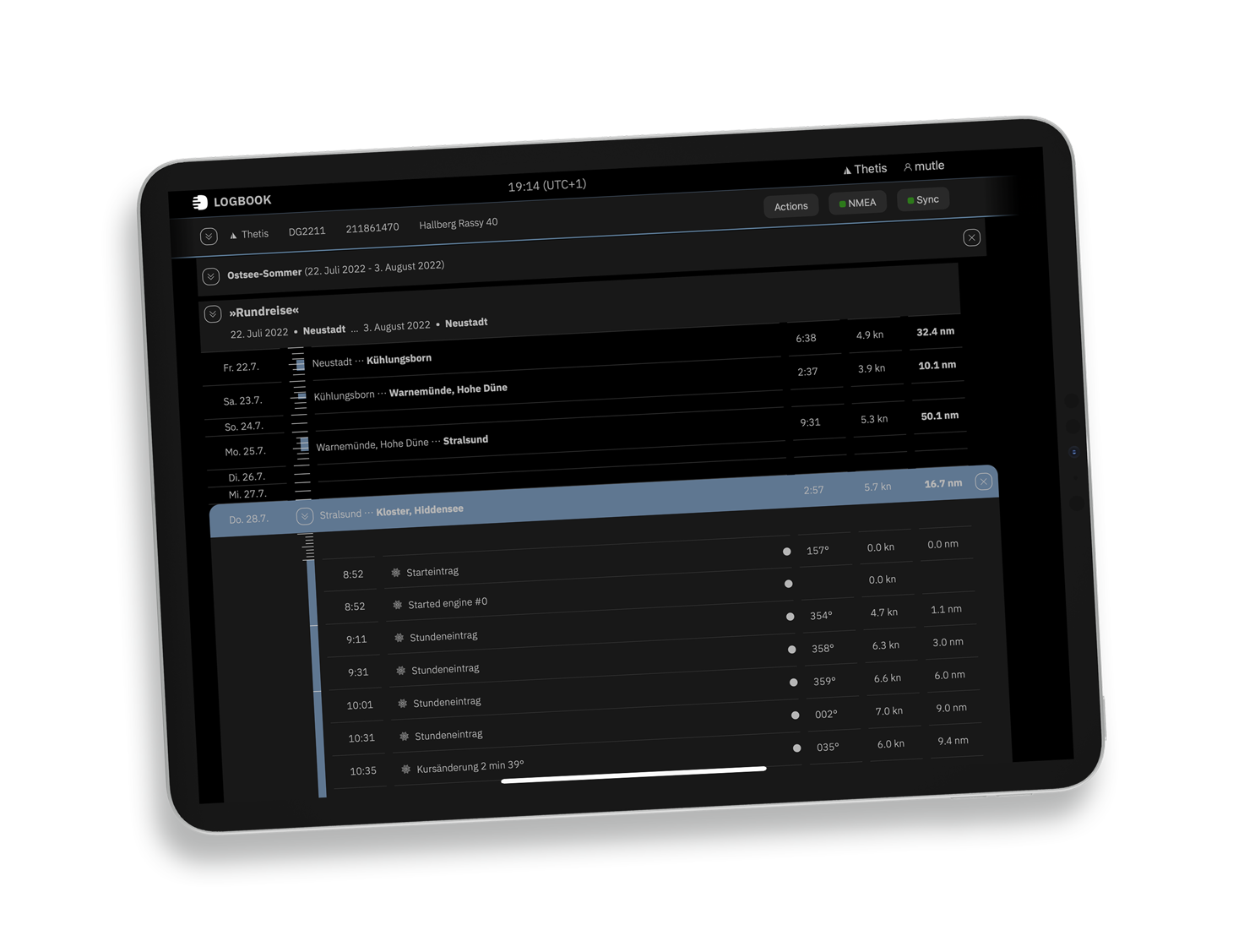
Your entire nautical history at a glance: Past, present, and future merge into a continuous vertical timeline. With a simple swipe, you scroll through hours, days, and weeks – from yesterday's anchor watch to the annual overview of your voyages.

More intuitive than ever: Zoom out for the big picture or zoom in for each individual hourly entry. What used to mean tedious searching in traditional logbooks becomes a seamless experience here. Your focus is exactly where you need it – in the moment or on the bigger picture.

The Timeline is the heart of LOGBOOK: It transforms dry navigation data into your personal seafarer's story.
logbook – Your Reliable Companion on Board

With LOGBOOK, you maintain your logbook automatically, evidentially secure, and effortlessly. The app captures all relevant navigation data directly from your vessel's NMEA network and automatically creates complete log entries – while you can focus on what really matters. At the same time, LOGBOOK gives you complete freedom to personally document your voyages and turn them into valuable memories.

LOGBOOK combines cutting-edge technology with intuitive operation – developed with passion for sailing and decades of experience in maritime software.

Set Up in Just a Few Steps

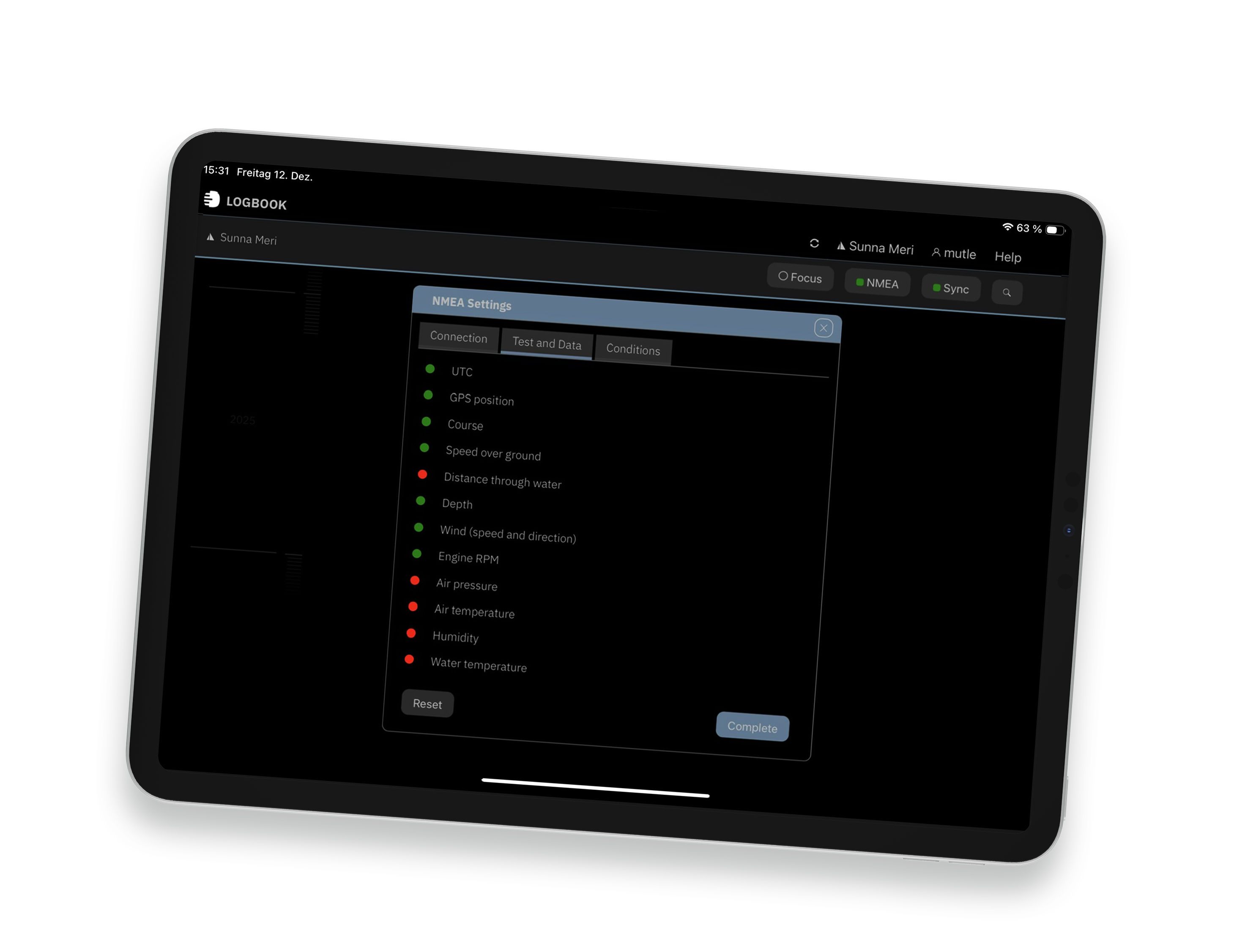
Before first using LOGBOOK, the primary device is connected to the vessel's NMEA network or a GPS device. A setup wizard assists with initial configuration and automatically detects which data is available in the NMEA. Afterwards, the app automatically reconnects to the configured data source.

Automatic & Reliable

LOGBOOK continuously receives NMEA data, stores and analyzes it internally. Every full or half hour, when starting and stopping, when switching an engine, and optionally on course changes, LOGBOOK independently creates log entries from this data – even when the app isn't in the foreground.

Customizable

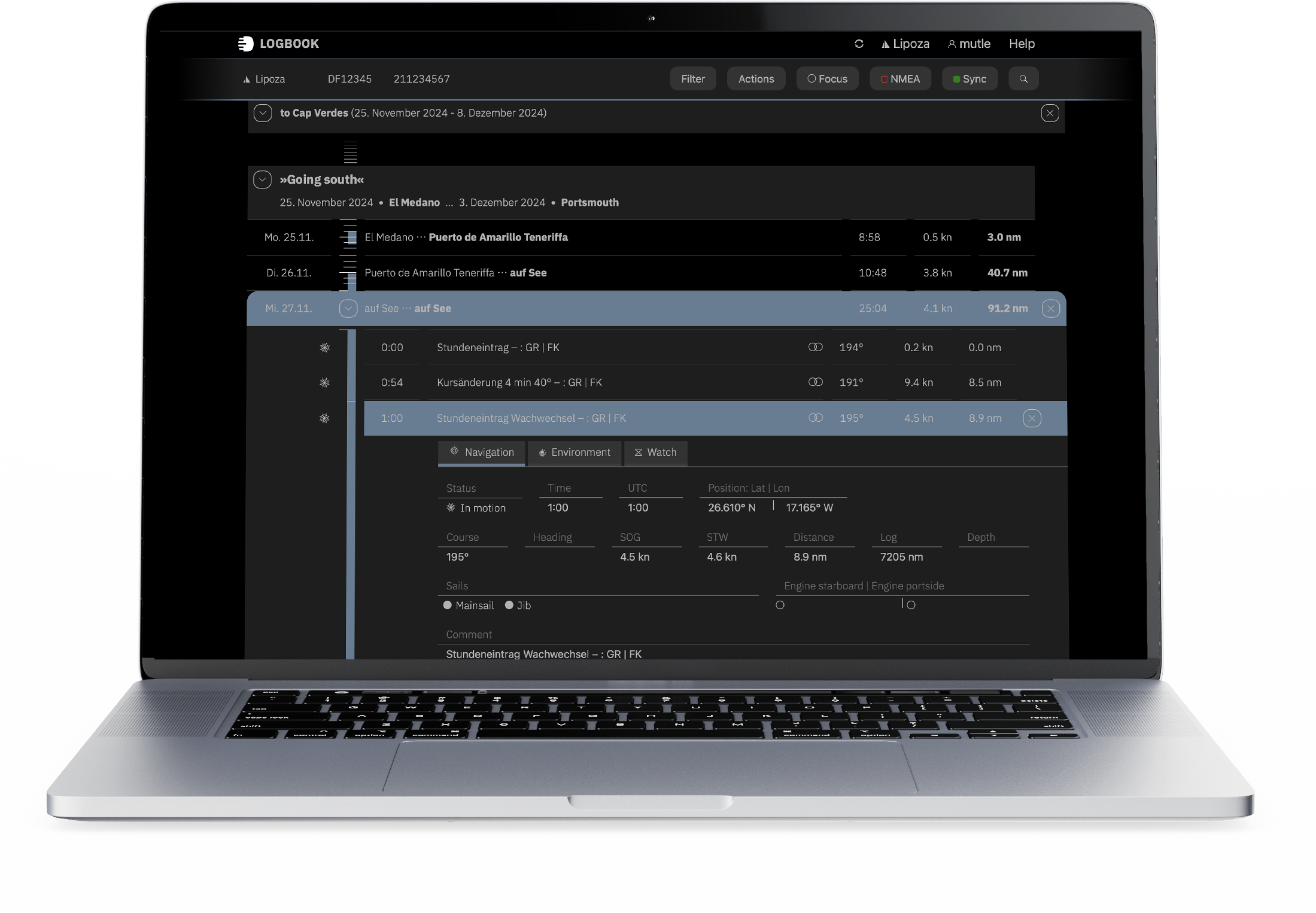
Of course, automatically created log entries can be supplemented with additional information, such as sail configuration or observations. And independent of automatic log entries, you can manually trigger an additional log entry at any time.

Personal

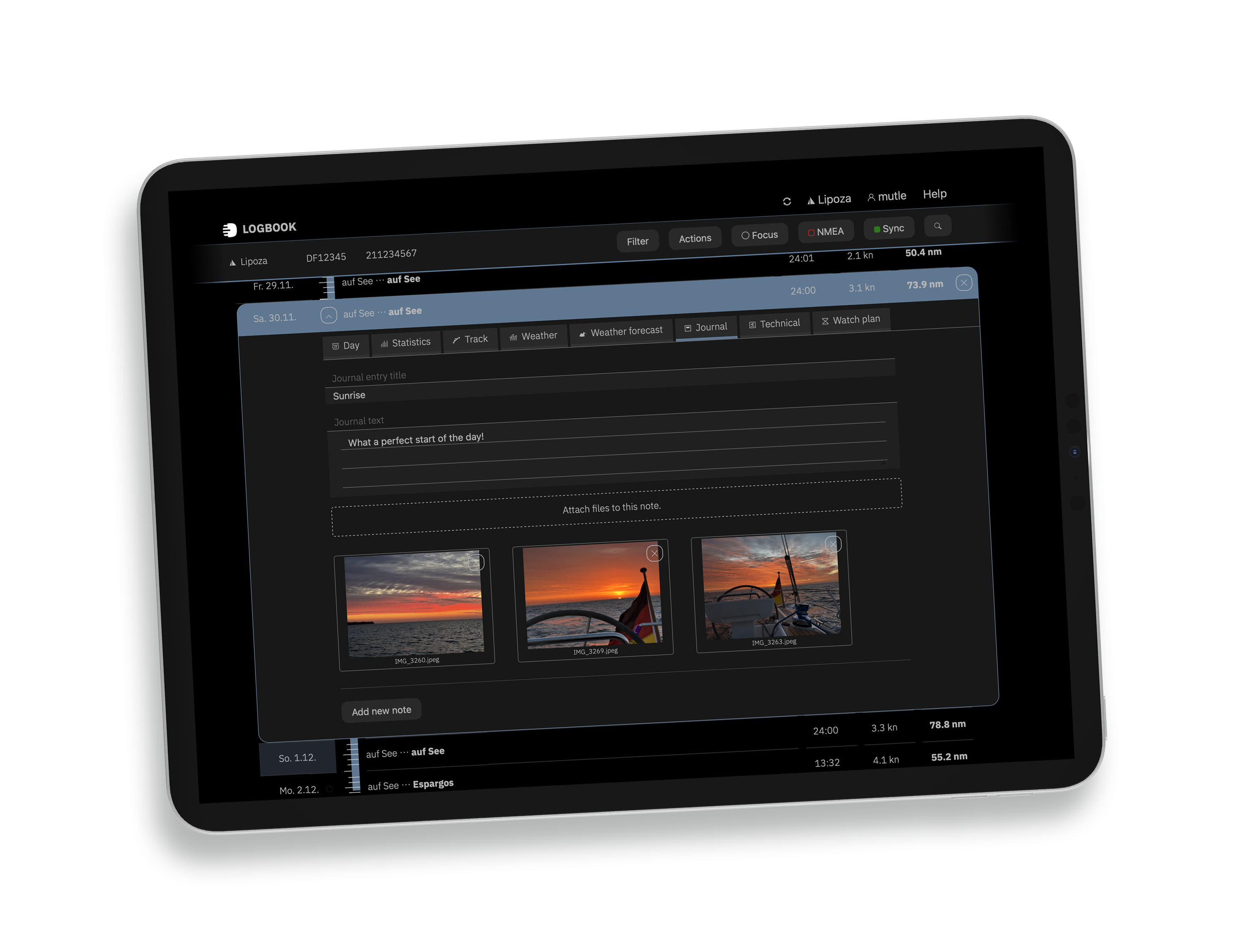
In addition to automatically capturing navigation data comprehensively, LOGBOOK offers various additional input areas. Weather forecasts and weather charts can be added to the logbook, and texts and photos can be recorded in the journal and as technical notes.

Clear Overview

As expected from a digital logbook, LOGBOOK provides detailed evaluations for each day, the trips, and the cruises. LOGBOOK displays your itinerary on a nautical chart for each day, each trip, and each cruise.

Cross-Device

Via the LOGBOOK app, additional users can access the logbook with their own devices and view and, if desired, edit entries.


Want to learn more before downloading LOGBOOK?
Dive deeper and discover all features and possibilities of LOGBOOK in detail.

Set Up in Just a Few Steps –
It Couldn't Be Easier

LOGBOOK receives the data needed for documentation from the vessel's NMEA network. Alternatively, you can also capture data via the LOGBOOK device itself (e.g., iPad) or connected GPS devices (e.g., GPS mouse). The more data the data source provides, the more can be captured and automatically entered.

When first connecting LOGBOOK to your vessel or GPS, the app analyzes the received data and configures itself automatically. LOGBOOK reliably captures and processes all data sent by the vessel's sensors and links it with GPS data.

The app meets requirements of authorities and insurance companies and documents your own nautical biography

Automatic & Reliable – Automatic Data Capture and Precise Documentation
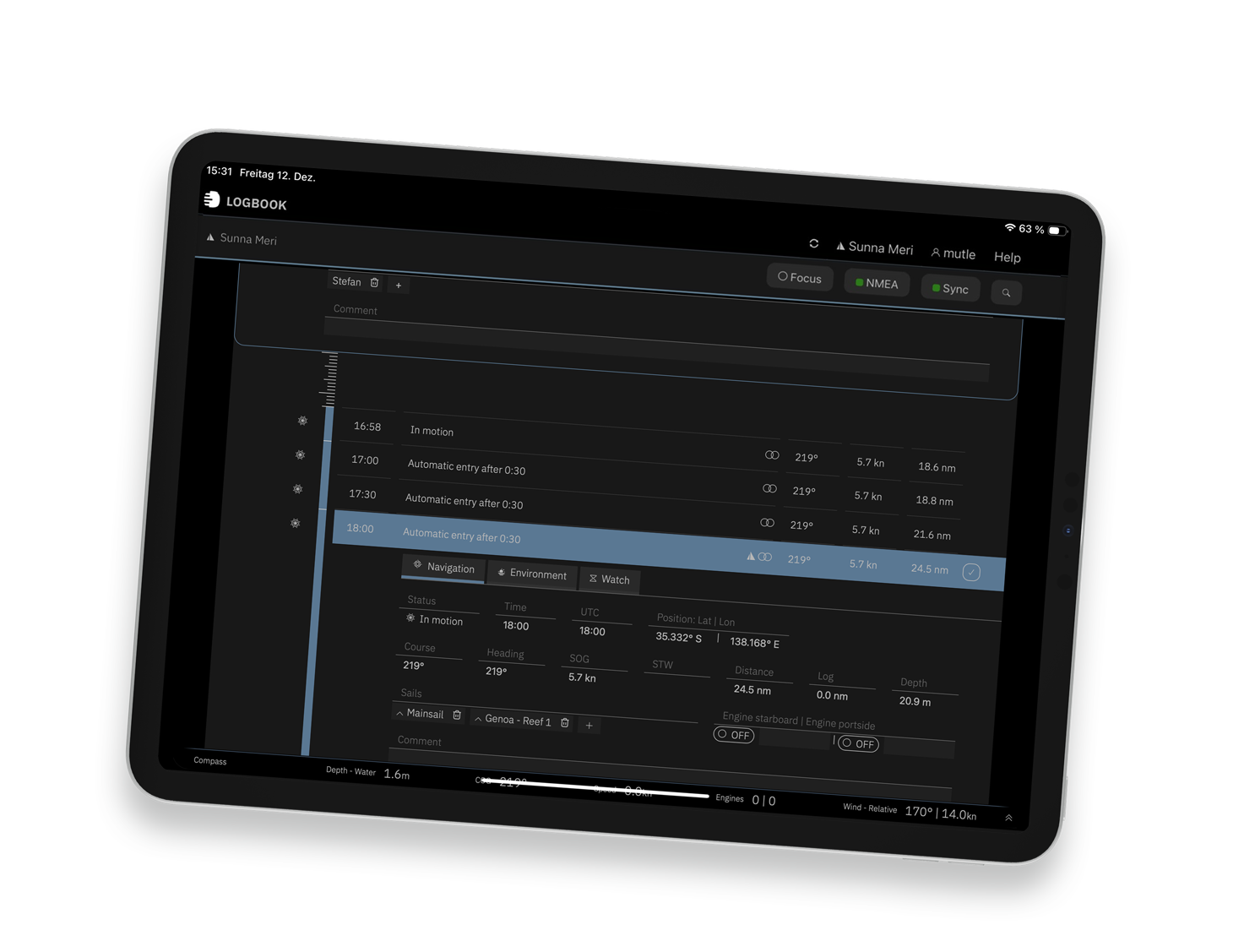
The app continuously receives NMEA data and automatically creates logbook entries – every half or full hour, when starting and stopping, and at other events you specify. All entries are timestamped and thus serve as reliable evidence.

LOGBOOK thinks ahead and is always by your side. The app supports you and reminds you of routines: whether underway, at anchor, or in port. You can expect individually activatable alerts such as the anchor watch, which warns you if your vessel isn't securely anchored.

Customizable – Full Control Over Every Entry

You have complete control over your logbook. You can supplement automatically captured data at any time with additional information: sail configuration, weather observations, vessel operation notes, or personal comments – LOGBOOK offers flexible input areas for all this information.

Independent of automatic entries, you can manually trigger an additional log entry at any time. All supplements and manual entries are documented with timestamp and username, creating a complete and evidentially secure logbook.

Personal – Preserve Your Memories

In addition to the legal requirement to maintain a logbook, LOGBOOK also gives you the opportunity to document your cruises as personal journeys. With photos and notes, every moment of your trip becomes unforgettable.

You can report on interesting sightings and have space to preserve your shore excursions in text and images as memories. With the search function, you can quickly find an event, even if it's years ago.

Clear Overview – Intuitive and Customizable Interface

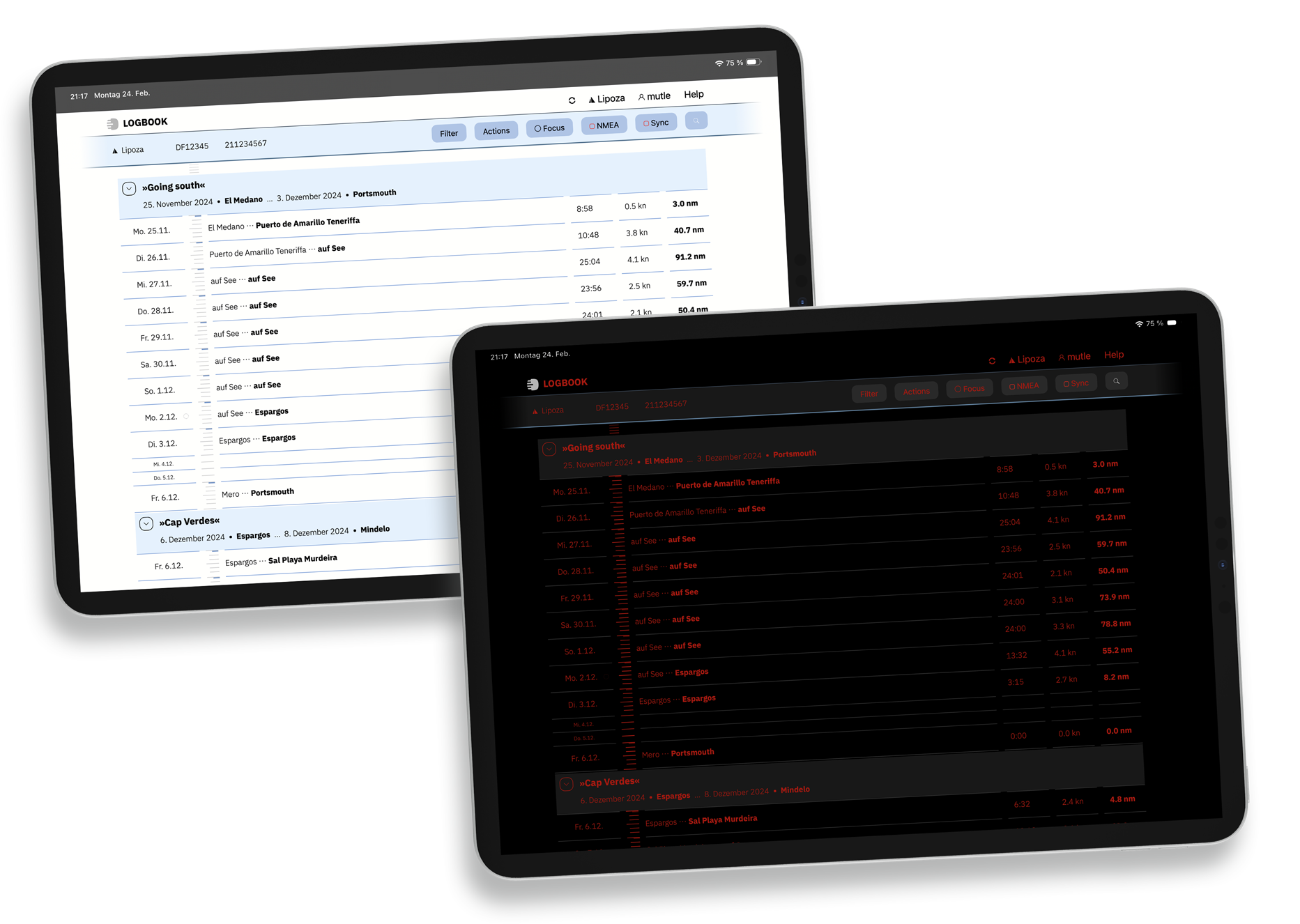
With LOGBOOK's user-friendly interface, which you can configure to your preferences, you always maintain overview. The vertically oriented timeline provides orientation and helps quickly locate current and past days, trips, and cruises. Colored markers highlight your onboard activities.

The standard interface is optimized for self-illuminating displays, while Classic Mode eases the transition from Logbook Suite to LOGBOOK. Night Mode ensures glare-free logbook operation – ideal for night passages.

The Instruments, which can be displayed at the bottom of the LOGBOOK screen during data capture, summarize all navigationally important data, so you don't need to monitor additional instruments.

Cross-Device – Use LOGBOOK on Multiple Devices Simultaneously

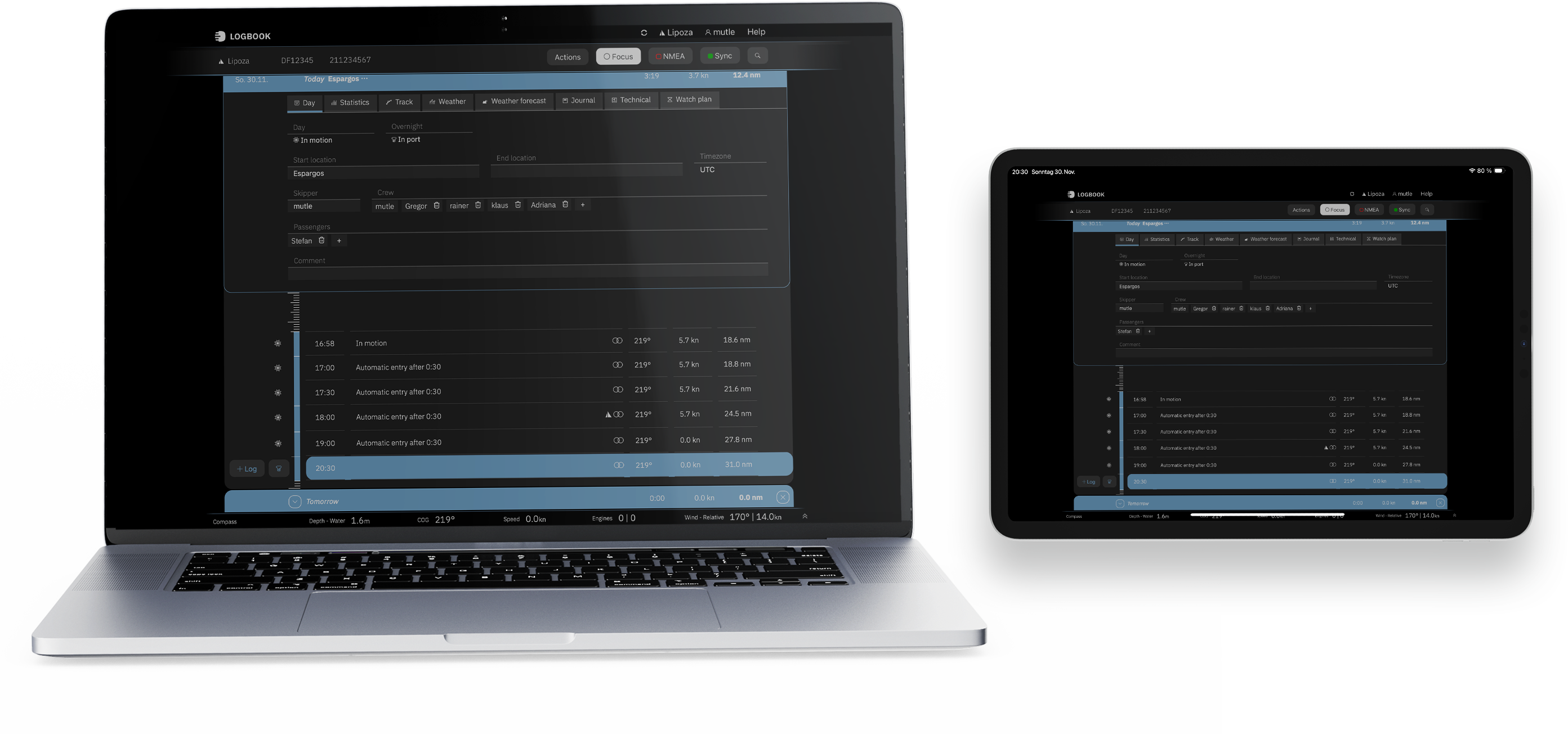
LOGBOOK is always at hand, on every device. Thanks to cross-device synchronization, you can use LOGBOOK simultaneously on multiple devices, for example on your PC and a tablet.

LOGBOOK runs on all common operating systems: macOS, iOS, Windows, and Android. For instance, you can make entries in the cockpit with your iPad and continue your logbook on your Windows PC at the nav station below deck. Even in your bunk, you have complete overview at all times.

Thanks to cloud synchronization, you have access to your logbook even outside the vessel – no matter where you are.

Copyright © 2026 🇩🇪 Legal Privacy General Terms About us Contact
Copyright © 2026
🇩🇪 Legal Privacy General Terms About us Contact

Your Question to Our Customer Service

We're happy to help

* = Required field